---
title: "JavaScript Toolbar"
description: "The jSuites JavaScript Toolbar plugin facilitates the development of dynamic, customizable toolbars within web applications. Ideal for developers looking to enhance interface functionality, this plugin supports integration with third-party JavaScript components, offering a responsive and adaptable solution for diverse UI requirements."
source: https://jsuites.net/docs/toolbar
---
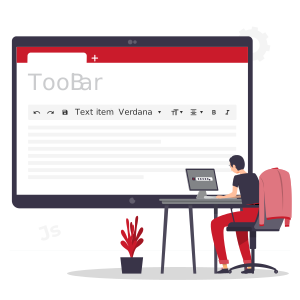
![JavaScript Toolbars](/img/js-toolbars.svg){.right}


The jSuites toolbar plugin enables embedding dynamic, fully customizable toolbars into web applications. This JavaScript tool is both lightweight and responsive, designed to aggregate actions into a cohesive toolbar interface. It supports a diverse array of items, icons, and separators, allowing for the creation of tailored navigation bars and intricate toolsets for various web-based projects. 

## Documentation

### Available Methods

The jSuites toolbar plugin offers a variety of methods to enhance its integration within web applications. These methods allow for dynamic interaction with the toolbar, including item selection, visibility control, badge management, and removal of the toolbar instance.


| Method                  | Description                                               |
|-------------------------|-----------------------------------------------------------|
| selectItem(number)      | Select one item in the toolbar                            |
| show()                  | Show the toolbar                                          |
| hide()                  | Hide the toolbar                                          |
| setBadge(index, value)  | Add the badge value for one of the items in the toolbar |
| destroy()               | Destroy the toolbar                                       |


### Initialization Properties

Customizing the jSuites toolbar during initialization is facilitated through various settings. These properties enable you to tailor the toolbar's appearance and functionality to suit the specific needs of your web application.

| Property           | Description                                         |
|--------------------|-----------------------------------------------------|
| app: object        | Link the toolbar to an jSuites app.                 |
| container: boolean | Show the toolbar container border.                  |
| badge: boolean     | Add a badge container for each toolbar element. |
| title: boolean     | Show title below the icons.                         |
| items: Items[]     | Items for the toolbar.                              |


### Items[] Properties

Each item within the jSuites toolbar can be customized using the following properties, allowing for a highly configurable and interactive toolbar setup.

| Property         | Description                                                             |
|------------------|-------------------------------------------------------------------------|
| type: string     | Element type: 'icon', 'select', 'divisor', 'label'                      |
| content: string  | Content of the toolbar element                                          |
| title: boolean   | Tooltip for the toolbar element                                         |
| width: number    | Toolbar element width                                                   |
| state: boolean   | Add state controller to the toolbar element                             |
| active: boolean  | Initial state for the toolbar element                                   |
| class: string    | CSS Class for each toolbar element                                      |
| value: number    | The initial selected option for the type: select                        |
| render: method   | Render method parser for the elements in the dropdown when type: select |
| onclick: method  | When a item is clicked                                                  |
| onchange: method | For the type select when a new item is selected                         |


## Example

### Basic Toolbar

This example demonstrates how to set up a basic toolbar using the jSuites toolbar plugin, where the toolbar items are defined in a JSON array.

```html
<html>
<script src="https://jsuites.net/v6/jsuites.js"></script>
<link rel="stylesheet" href="https://jsuites.net/v6/jsuites.css" type="text/css" />

<div id='toolbar'></div>

<script>
jSuites.toolbar(document.getElementById('toolbar'), {
    container: true,
    items:[{
            type: 'icon',
            content: 'undo',
            onclick: function() {
                console.log('undo action');
            }
        },
        {
            type: 'icon',
            content: 'redo',
            onclick: function() {
                console.log('redo action');
            }
        },
        {
            type: 'icon',
            content: 'save',
            onclick: function () {
                console.log('save something');
            }
        },
        {
            type: 'label',
            content: 'Text item',
            onclick: function() {
                console.log('action');
            }
        },
        {
            type: 'divisor',
        },
        {
            type: 'select',
            data: [
                'Verdana',
                'Arial',
                'Courier New'
            ],
            width: '160px',
            render: function(e) {
                return '<span style="font-family:' + e + '">' + e + '</span>';
            },
            onchange: function(a,b,c,d) {
                console.log('font-family: ' + d);
            }
        },
        {
            type: 'select',
            data: [
                'x-small',
                'small',
                'medium',
                'large',
                'x-large'
            ],
            content: 'format_size',
            render: function(e) {
                return '<span style="font-size:' + e + '">' + e + '</span>';
            },
            onchange: function(a,b,c,d) {
                console.log('font-size: ' + d);
            }
        },
        {
            type: 'select',
            data: [
                'format_align_left',
                'format_align_center',
                'format_align_right',
                'format_align_justify'
            ],
            render: function(e) {
                return '<i class="material-icons">' + e + '</i>';
            },
            onchange: function(a,b,c,d) {
                if (d == 'format_align_left') {
                    console.log('font-align: left');
                } else if (d == 'format_align_center') {
                    console.log('font-align: center');
                } else if (d == 'format_align_right') {
                    console.log('font-align: right');
                } else if (d == 'format_align_justify') {
                    console.log('font-align: justify');
                }
            }
        },
        {
            type: 'icon',
            content: 'format_bold',
            onclick: function(a,b,c) {
                console.log('font-weight: bold');
                // Control state
                c.toggleState();
            },
            state: true,
            active: true,
        },
        {
            type: 'icon',
            content: 'format_color_text',
            onclick: function(element, instance, item) {
                if (! item.color) {
                    var colorPicker = jSuites.color(item, {
                        onchange:function(o, v) {
                            console.log('color:', v);
                        }
                    });
                    colorPicker.open();
                }
            }
        },
        {
            type: 'select',
            data: [
                'border_all',
                'border_outer',
                'border_inner',
                'border_horizontal',
                'border_vertical',
                'border_left',
                'border_top',
                'border_right',
                'border_bottom',
                'border_clear'
            ],
            columns: 5,
            render: function(e) {
                return '<i class="material-icons">' + e + '</i>';
            },
            right: true,
            onload: function(a, b) {
                // Border color
                var container = document.createElement('div');
                var div = document.createElement('div');
                container.appendChild(div);
                var colorPicker = jSuites.color(div, {
                    onchange: function(o, v) {
                        div.style.color = v;
                    },
                });
                var i = document.createElement('i');
                i.classList.add('material-icons');
                i.innerHTML = 'border_color';
                i.onclick = function() {
                    colorPicker.open();
                }
                container.appendChild(i);
                a.children[1].appendChild(container);

                var div = document.createElement('div');
                var picker = jSuites.picker(div, {
                    content: 'line_style',
                    type: 'select',
                    data: [ 1, 2, 3, 4, 5 ],
                    render: function(e) {
                        return '<div style="height: ' + e + 'px; width: 50px; background-color: black;"></div>';
                    },
                    width: '24px',
                });
                a.children[1].appendChild(div);

                var div = document.createElement('div');
                div.style.flex = '1'
                a.children[1].appendChild(div);
            }
        }
    ]
});
</script>
</html>
```
```jsx
import { Toolbar } from 'jsuites/react'
import { useRef } from 'react'
import jSuites from 'jsuites';
import 'jsuites/dist/jsuites.css'
function App() {
  const toolbar = useRef(null);
  return (
    <div className="App">
      <Toolbar ref={toolbar} container={true}
        items={[{
          type: 'icon',
          content: 'undo',
          onclick: function () {
            console.log('undo action');
          }
        },
        {
          type: 'icon',
          content: 'redo',
          onclick: function () {
            console.log('redo action');
          }
        },
        {
          type: 'icon',
          content: 'save',
          onclick: function () {
            console.log('save something');
          }
        },
        {
          type: 'label',
          content: 'Text item',
          onclick: function () {
            console.log('action');
          }
        },
        {
          type: 'divisor',
        },
        {
          type: 'select',
          data: [
            'Verdana',
            'Arial',
            'Courier New'
          ],
          width: '160px',
          render: function (e) {
            return '<span style="font-family:' + e + '">' + e + '</span>';
          },
          onchange: function (a, b, c, d) {
            console.log('font-family: ' + d);
          }
        },
        {
          type: 'select',
          data: [
            'x-small',
            'small',
            'medium',
            'large',
            'x-large'
          ],
          content: 'format_size',
          render: function (e) {
            return '<span style="font-size:' + e + '">' + e + '</span>';
          },
          onchange: function (a, b, c, d) {
            console.log('font-size: ' + d);
          }
        },
        {
          type: 'select',
          data: [
            'format_align_left',
            'format_align_center',
            'format_align_right',
            'format_align_justify'
          ],
          render: function (e) {
            return '<i class="material-icons">' + e + '</i>';
          },
          onchange: function (a, b, c, d) {
            if (d == 'format_align_left') {
              console.log('font-align: left');
            } else if (d == 'format_align_center') {
              console.log('font-align: center');
            } else if (d == 'format_align_right') {
              console.log('font-align: right');
            } else if (d == 'format_align_justify') {
              console.log('font-align: justify');
            }
          }
        },
        {
          type: 'icon',
          content: 'format_bold',
          onclick: function (a, b, c) {
            console.log('font-weight: bold');
            // Control state
            c.toggleState();
          },
          state: true,
          active: true,
        },
        {
          type: 'icon',
          content: 'format_color_text',
          onclick: function (element, instance, item) {
            if (!item.color) {
              var colorPicker = jSuites.color(item, {
                onchange: function (o, v) {
                  console.log('color:', v);
                }
              });
              colorPicker.open();
            }
          }
        },
        {
          type: 'select',
          data: [
            'border_all',
            'border_outer',
            'border_inner',
            'border_horizontal',
            'border_vertical',
            'border_left',
            'border_top',
            'border_right',
            'border_bottom',
            'border_clear'
          ],
          columns: 5,
          render: function (e) {
            return '<i class="material-icons">' + e + '</i>';
          },
          right: true,
          onload: function (a, b) {
            // Border color
            var container = document.createElement('div');
            var div = document.createElement('div');
            container.appendChild(div);
            var colorPicker = jSuites.color(div, {
              onchange: function (o, v) {
                div.style.color = v;
              },
            });
            var i = document.createElement('i');
            i.classList.add('material-icons');
            i.innerHTML = 'border_color';
            i.onclick = function () {
              colorPicker.open();
            }
            container.appendChild(i);
            a.children[1].appendChild(container);

            var div = document.createElement('div');
            var picker = jSuites.picker(div, {
              content: 'line_style',
              type: 'select',
              data: [1, 2, 3, 4, 5],
              render: function (e) {
                return '<div style="height: ' + e + 'px; width: 50px; background-color: black;"></div>';
              },
              width: '24px',
            });
            a.children[1].appendChild(div);

            var div = document.createElement('div');
            div.style.flex = '1'
            a.children[1].appendChild(div);
          }
        }
        ]} />
    </div>
  );
}
export default App;
```
```vue
<template>
    <Toolbar ref="toolbar" :container="true" :items="items"/>
</template>

<script>
import { Toolbar } from "jsuites/vue";
import jSuites from "jsuites"
import 'jsuites/dist/jsuites.css'

export default {
    name: 'App',
    components: {
        Toolbar
    },
    data(){
        
        const items = [{
            type: 'icon',
            content: 'undo',
            onclick: function() {
                console.log('undo action');
            }
        },
        {
            type: 'icon',
            content: 'redo',
            onclick: function() {
                console.log('redo action');
            }
        },
        {
            type: 'icon',
            content: 'save',
            onclick: function () {
                console.log('save something');
            }
        },
        {
            type: 'label',
            content: 'Text item',
            onclick: function() {
                console.log('action');
            }
        },
        {
            type: 'divisor',
        },
        {
            type: 'select',
            data: [
                'Verdana',
                'Arial',
                'Courier New'
            ],
            width: '160px',
            render: function(e) {
                return `<span style='font-family:` + e + `'>` + e + '</span>';
            },
            onchange: function(_,_1,_2,d) {
                console.log('font-family: ' + d);
            }
        },
        {
            type: 'select',
            data: [
                'x-small',
                'small',
                'medium',
                'large',
                'x-large'
            ],
            content: 'format_size',
            render: function(e) {
                return `<span style='font-size:` + e + `'>` + e + '</span>';
            },
            onchange: function(_,_1,_2,d) {
                console.log('font-size: ' + d);
            }
        },
        {
            type: 'select',
            data: [
                'format_align_left',
                'format_align_center',
                'format_align_right',
                'format_align_justify'
            ],
            render: function(e) {
                return `<i class='material-icons'>` + e + '</i>';
            },
            onchange: function(_,_1,_2,d) {
                if (d == 'format_align_left') {
                    console.log('font-align: left');
                } else if (d == 'format_align_center') {
                    console.log('font-align: center');
                } else if (d == 'format_align_right') {
                    console.log('font-align: right');
                } else if (d == 'format_align_justify') {
                    console.log('font-align: justify');
                }
            }
        },
        {
            type: 'icon',
            content: 'format_bold',
            onclick: function(_,_1,c) {
                console.log('font-weight: bold');
                // Control state
                c.toggleState();
            },
            state: true,
            active: true,
        },
        {
            type: 'icon',
            content: 'format_color_text',
            onclick: function(_, _1, item) {
                if (! item.color) {
                    let colorPicker = jSuites.color(item, {
                        onchange:function(_, v) {
                            console.log('color:', v);
                        }
                    });
                    colorPicker.open();
                }
            }
        },
        {
            type: 'select',
            data: [
                'border_all',
                'border_outer',
                'border_inner',
                'border_horizontal',
                'border_vertical',
                'border_left',
                'border_top',
                'border_right',
                'border_bottom',
                'border_clear'
            ],
            columns: 5,
            render: function(e) {
                return `<i class='material-icons'>` + e + '</i>';
            },
            right: true,
            onload: function(a) {
                // Border color
                let container = document.createElement('div');
                let div = document.createElement('div');
                container.appendChild(div);
                let colorPicker = jSuites.color(div, {
                    onchange: function(_, v) {
                        div.style.color = v;
                    },
                });
                let i = document.createElement('i');
                i.classList.add('material-icons');
                i.innerHTML = 'border_color';
                i.onclick = function() {
                    colorPicker.open();
                }
                container.appendChild(i);
                a.children[1].appendChild(container);

                div = document.createElement('div');
                jSuites.picker(div, {
                    content: 'line_style',
                    type: 'select',
                    data: [ 1, 2, 3, 4, 5 ],
                    render: function(e) {
                        return `<div style='height: ` + e + `px; width: 50px; background-color: black;'></div>`;
                    },
                    width: '24px',
                });
                a.children[1].appendChild(div);

                div = document.createElement('div');
                div.style.flex = '1'
                a.children[1].appendChild(div);
            }
        }
    ]
    return{items}
    }
};
</script>
```

## Related Tools

- [Jspreadsheet CE Toolbars](https://jspreadsheet.com/docs/ce/toolbars) - Customize data grid toolbars (free)
